
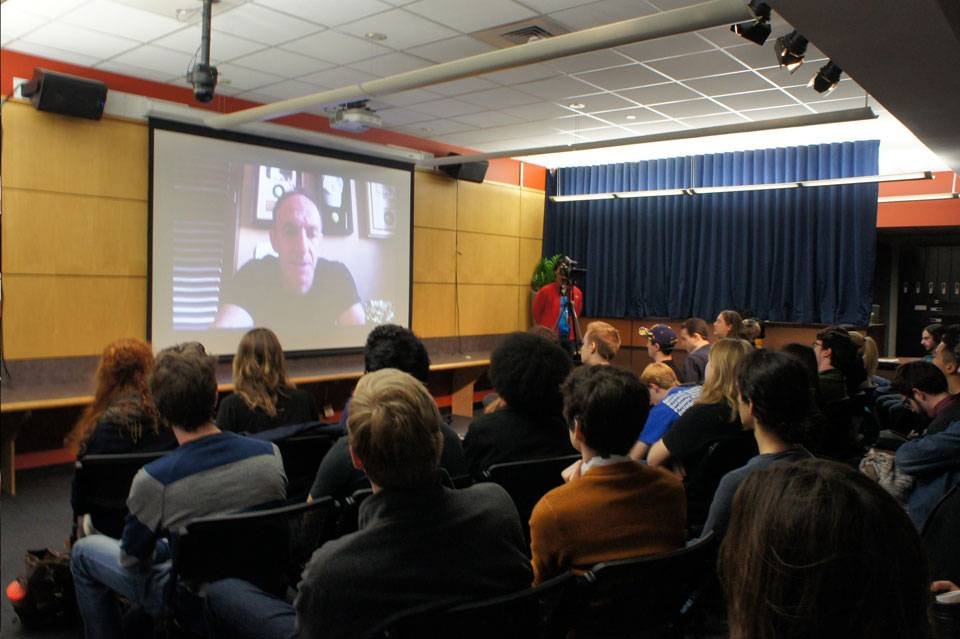
If you don’t have the time for travel or you just cannot make it to Ottawa this summer, you still have the opportunity to have your proposal presented to the iWISE2019 attendees via web conferencing. All you need is a web cam and a reliable high speed internet connection.
You will get the same time slot given to on-premise presenters and you will have the opportunity to respond to questions during the session. Here is what you need to know about our online presentations session:
- You will present in a dedicated session for online presentations
- One of our expert staff members will get in touch with you one week before your presentation to go through the web conferencing system with you and make sure that you are ready for the presentation
- On the day of the presentation we will get in touch with you and guide you through the steps until you are online
- After the sessions is over, you will be able to to interact with the audience and respond to their questions
- Registration fee for online presentations is CAD$249. You may pay online or via bank transfer
All those who present in the online presentations sessions will:
- receive a certificate of presentation at iWISE2019
- be able to download a video file of their presentation
- be eligible to have their full paper (if submitted) published in the International Journal on Environment and Sustainability
If you have any questions about presenting online at iWISE2019, email secretariat@iwiseconference.com
RECORD YOUR PRESENTATION
In order to insure smooth online presentation session, you will need to pre-record your presentation and send us your recording in a digital video format. You will be online via video conferencing during the Q&A session to answer questions form the audience.
Here is what you need to do:
- Record your presentation using the screen recording software Screencast-O-Matic. The free version allows a 15 minutes limit to a single recording. This is the time limit for your presentation.
- Send us the recording file in mp4 format
- Watch this instructional video if you need help with recording your presentation
- Remember to use the conference PowerPoint presentation template when you are composing slides for the presentation. Presentation template can be found here [LINK; Presentation Template]